
Change meeting settings
The meeting controls on the touch console are similar to those found on the Teams desktop app.
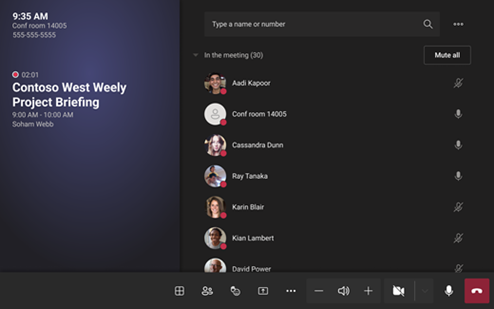
|
Control |
Use it to... |
|---|---|
|
View |
Customize the view you see on the front of room display to focus on different aspects of the meeting. |
|
View participants |
Open the participant panel. |
|
React |
Send live reactions or raise your hands to engage in a meeting. |
|
Share content |
Share connected device content and Microsoft Whiteboard. |
|
More actions |
Customize your audio, video, chat, call settings, and more. |
|
Volume |
Adjust the volume of the speakers. |
|
Camera |
Turn the camera on or off or choose the video device you want to use. Select the dropdown arrow next to the camera to see the following options: 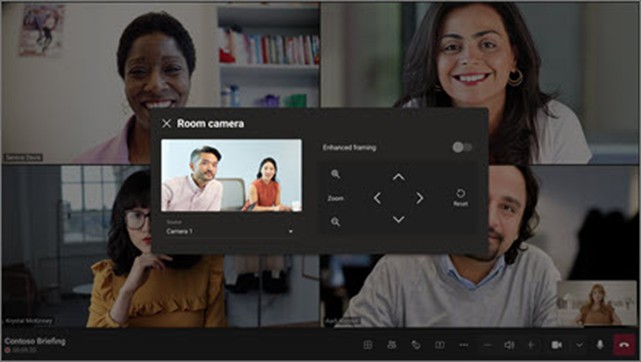
|
|
Mic |
Turn the mic on or off. |
|
Leave |
Leave a meeting. |

