
Join a scheduled meeting
Find your meeting on the console and select Join to enter.
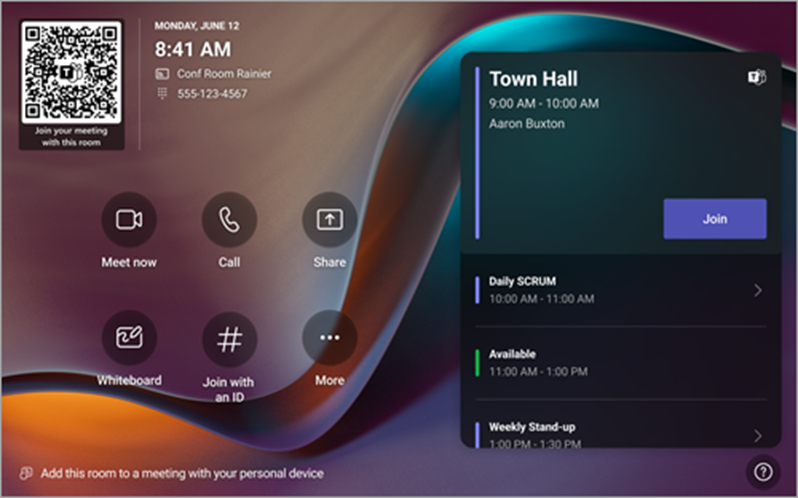
The room schedule displays the current meeting on top. Upcoming meetings and available slots are found under the current meeting. You can select an upcoming meeting to view its details.
If your room settings allow joining third-party meetings, you can join other providers' meetings by entering their meeting ID and passcode if required, and selecting Join.
If a scheduled meeting doesn't appear on the room calendar, or if there is no Join button on the meeting tile, you can invite the room, scan the room QR code, select Join with an ID  , or add the room on your personal device to join the meeting on the room system.

